
A 60 Mbps+ connection
Run a speed test before you start. You want at least 60 Mbps download and a ping under 50 ms for smooth live TV and sports. It does work on slower connections — that is just the range where everything runs comfortably.
After payment confirms, your login (server URL, username and password) arrives on WhatsApp. Then pick your device below — or just message us and we'll walk you through it live.
Streaming quality depends on your internet, so an occasional buffer can happen. One account streams on one screen at a time — running the same account on two screens at once will cause buffering.
Run a speed test before you start. You want at least 60 Mbps download and a ping under 50 ms for smooth live TV and sports. It does work on slower connections — that is just the range where everything runs comfortably.
Connect your device to your router's 5GHz network rather than 2.4GHz. This is the single most common fix for picture problems. Home broadband, fixed-wireless boxes and mobile data all work as long as the connection is stable.
Enter the Server URL by hand exactly as we send it; do not click it as a link. Check there are no spaces at either end of the username or password. If the app still says the details are wrong, try the address with a single slash after http:.
When the app asks for a "Playlist Name" or "Any Name", type whatever you like — it is only a label for your own reference and does not have to match anything.
Work through these in order — it is almost always fixed by step two.
We troubleshoot with you first to get it running on your device. If the service still does not work after troubleshooting with a customer rep, a refund may be granted within 3 days of purchase. Message us on WhatsApp and we sort it out.
The most popular way to watch. You install the free Downloader app once, use it to grab the player app, then log in. About 5 minutes, one time only.
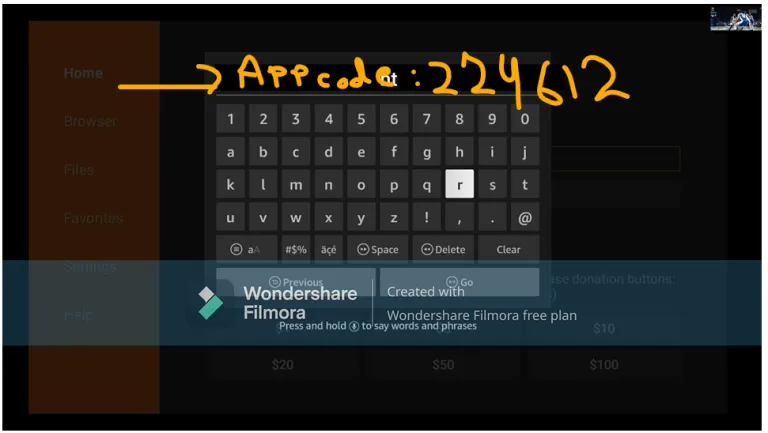
Downloader app code:224612
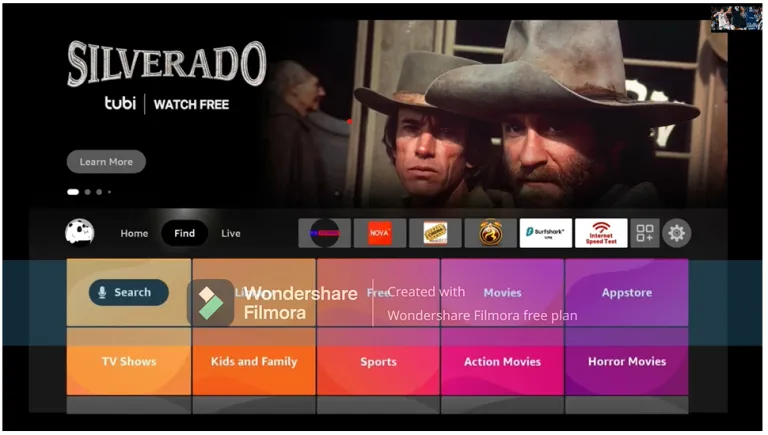
From your Fire TV home screen, move to "Find", then choose "Search".
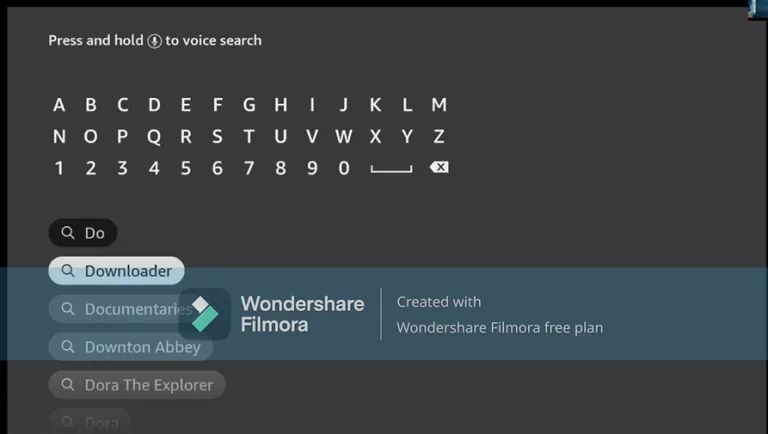
Type "Downloader" — it appears in the suggestions before you finish typing. Select it.
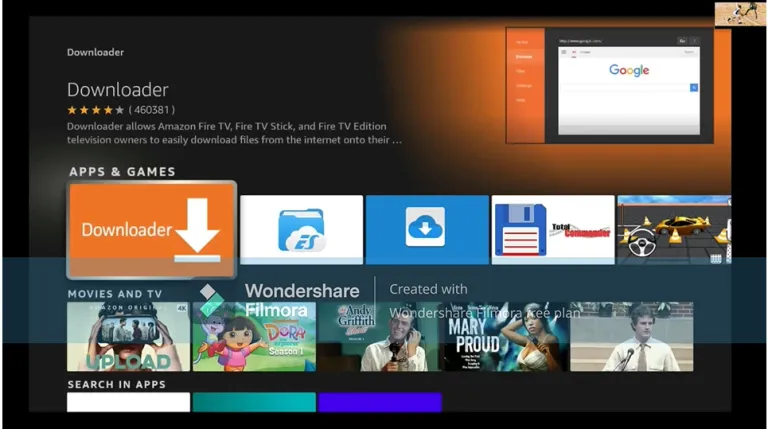
Pick the orange Downloader app (by AFTVnews) from Apps & Games.
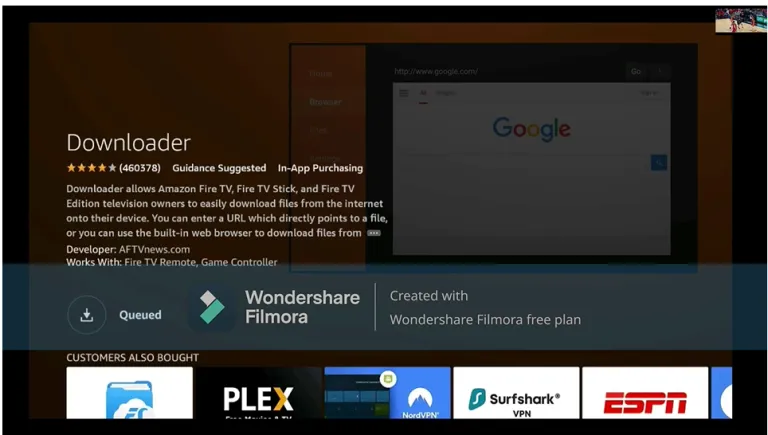
Press "Get"/"Download" and wait for it to install. While it downloads: go to Settings → My Fire TV → Developer Options and switch ON "Install unknown apps" (or "Apps from Unknown Sources") for Downloader. If you don't see Developer Options, go to Settings → My Fire TV → About and click your Fire TV's name 7 times to unlock it.
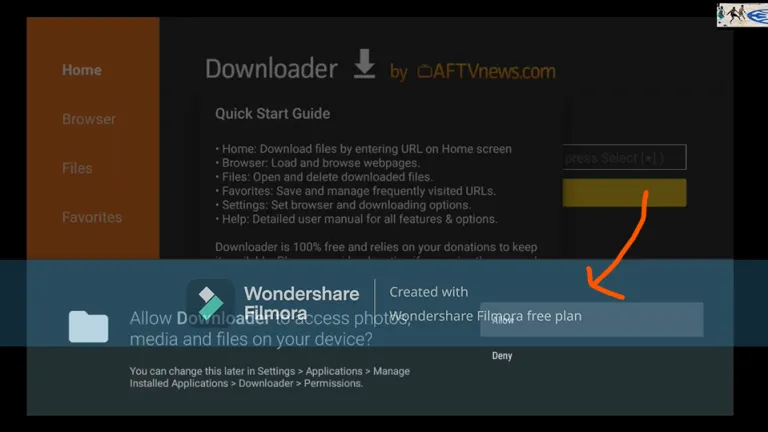
The first time it opens, Downloader asks for permission to access files. Choose "Allow".
Click the URL box and type the code 224612, then press Go. The player app downloads — press "Install" when prompted, then "Open".
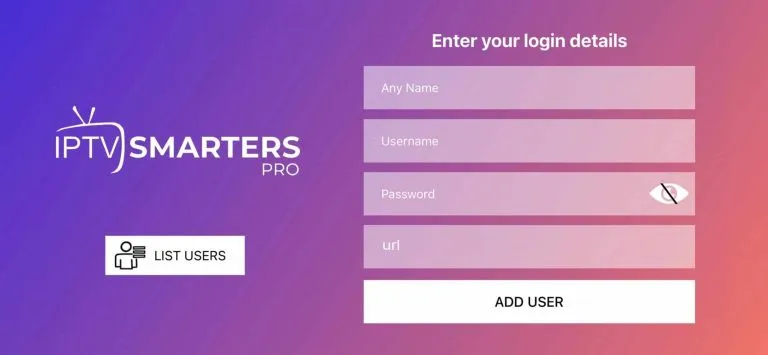
Open the app and enter the login details from your WhatsApp message (username, password and server URL), then press "Add User". Done — your channels load up.
Same idea as the Firestick: install Downloader from the Google Play Store (or your box's own app store), then pull in the player app.
Open the Play Store on your Android TV or box and install the "Downloader by AFTVnews" app.
Go to Settings → Apps → Security & Restrictions (or "Special app access") → Install unknown apps, and enable it for Downloader.
Open Downloader, click the URL box, type 224612 and press Go. Install the player app when the download finishes.
Open the app, choose "Xtream Codes" (sometimes called Player API), and enter the Server URL, username and password we sent you.
Most Smart TVs (Samsung, LG, JVC, Sankey, Hisense, TCL and others) install a player app straight from the TV's own app store — no Downloader needed. Use the video for your brand.
From the TV home screen, open the Apps section and search for the player app (we'll tell you exactly which one on WhatsApp for your TV model).
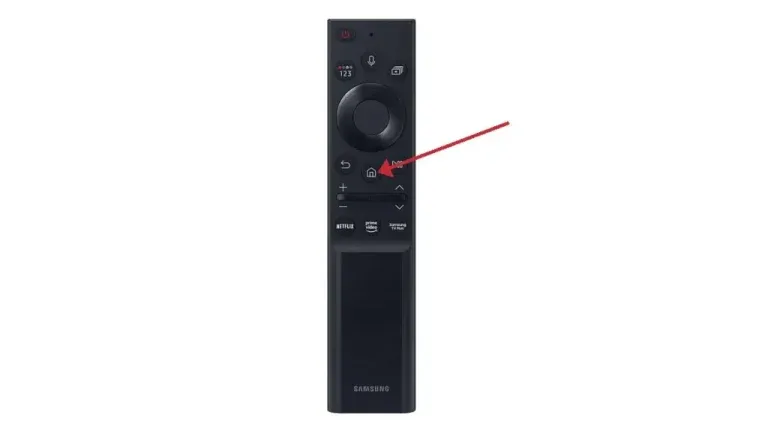
Install the player app and open it from your apps list.
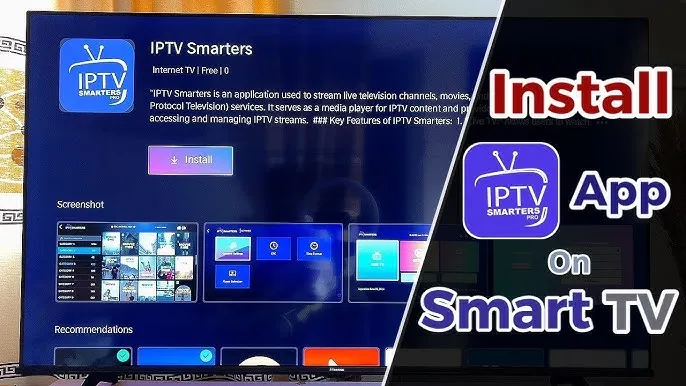
Choose "Xtream Codes" (sometimes called Player API) and enter the username, password and server URL from your WhatsApp message. Your channels, movies and series load right up.
Works on iPhone, iPad, and Android phones and tablets. Perfect for watching on the go.
On iPhone and iPad, get it from the App Store. On Android, from the Play Store. We tell you exactly which app on WhatsApp — the names differ by store.
Choose "Xtream Codes / Player API" and enter your login details. Remember: one account streams on one screen at a time — you can install it everywhere and switch freely.
Watch on a Windows or Mac laptop. Handy for the office, or a second screen while the TV is busy.
Follow the video to install the desktop player. If you would rather not install anything, message us and we'll send a browser link instead.
Choose "Xtream Codes / Player API" and enter the Server URL, username and password we sent you.
Message us — we'll walk you through it live, screen by screen.
Get Live Help on WhatsApp